Featured Reviews

Angela Peters's review...

Piergiorgio Sansone's review...
My experience with the program so far
GetResponse is the first email marketing system I ever purchased. That was many years ago. And you know what? It's still part of my product stack today. I use it. I recommend it. I integrate it into every affiliate business I build.
Now, I know what you're thinking: "You've tested dozens of email platforms over the years. You understand marketing automation deeply. Why do you still use GetResponse? "
Here's my honest answer: because it was the first tool to show me what automation actually means.
The Real Shift: From Email Tool to Automation System
When I started using GetResponse (fresh perspective, new integration), something clicked that people often miss when they're shopping for email platforms.
Most beginners think email marketing is about sending emails. You capture a lead, you email them. They click, they buy. Done.
Wrong.
The real game isn't sending. It's nurturing at scale. And that's where GetResponse separated itself from every basic email tool I'd used before.
Here's the difference: Basic autoresponder systems offer limited solutions. They handle nurturing through list segmentation, you can push prospects to different lists, but that's it. GetResponse's automation engine opens far more possibilities. You can direct your prospect exactly as you prefer, based on the workflow YOU define. IF they open → action. IF they click → different action. IF they buy → customer sequence. This is not list-switching. This is intelligent routing based on behavior. And that's a significant leap in quality.
GetResponse's automation engine? It's different. It's not AI. It's a workflow builder that YOU control.
You set the rules. You decide the triggers. You configure the paths.
Someone clicks your landing page but doesn't buy? You create an automation rule that sequences them to a different email path. Someone opened your last 3 emails but never clicked? You set that trigger and the resulting action. Someone is ready to upgrade? You build that workflow.
The difference: instead of sending everyone the same email, you design multiple paths based on prospect behavior, and the system executes exactly what you programmed.
That's the leap. And I'll explain why it matters so much for beginners.
What I Like
1. Automation Without a Developer
You don't need APIs, webhooks, or technical knowledge. The automation builder is visual, drag sequences, set conditions, connect actions.
I built my entire welcome sequence with branching, segmentation, and conditional delays in 45 minutes. That's not possible in most platforms without hiring someone.
2. All-in-One Platform Means Smarter Workflows
Email + landing pages + CRM + SMS in one dashboard. Here's the advantage: when your email platform knows who visited your landing page, what they clicked, what they watched, your automation workflows become more effective because you have complete data.
You can create triggers like: "IF landed on page X AND opened email Y AND clicked button Z → do this. "
With separate tools, this integrated intelligence is impossible.
3. AI Course Creator (Recently Added)
GetResponse added online course functionality that integrates with your automation workflows. When a student enrolls, an automation sequence fires. When they complete lessons, different sequences trigger.
It's not a Kajabi-killer. But it's a smart addition that keeps you in one ecosystem instead of juggling three tools.
What I Dislike
1. The Interface Is Cluttered
GetResponse has been around since 2001. You can feel it. The platform has grown by layering features on top of features. It works, but it's not elegant. First-time users think: "Is that under Automations? Tools? Integrations? "
Reality: This is a one-time pain. Once you learn the structure, it's fine. Watch the tutorials.
2. The Automation Learning Curve Is Real
GetResponse's automation capabilities are impressive, but the learning curve is significant. The builder has options that won't make sense until you understand your own customer journey deeply.
I spent 3 weeks experimenting before building anything I actually used. That's expected. You're learning a new system.
Final Verdict
Rating: 7.5/10 for most users | 8.5/10 for beginners | 8/10 for affiliate marketers
GetResponse is the best all-in-one platform to start with. You learn email, automation, pages, CRM, SMS, and now course creation in one place, without hiring a developer.
You won't outgrow it until you need specialized tools for specific channels.
My recommendation: Start with GetResponse. Learn how to design workflows that respond to prospect behavior. Understand your customer journey. Build real sequences based on actions.
Once you've mastered that? Then decide if you need something more specialized.
Because the tool doesn't matter. Knowing how to build workflows based on behavior does.
Visit Getresponse.com
GetResponse is the first email marketing system I ever purchased. That was many years ago. And you know what? It's still part of my product stack today. I use it. I recommend it. I integrate it into every affiliate business I build.
Now, I know what you're thinking: "You've tested dozens of email platforms over the years. You understand marketing automation deeply. Why do you still use GetResponse? "
Here's my honest answer: because it was the first tool to show me what automation actually means.
The Real Shift: From Email Tool to Automation System
When I started using GetResponse (fresh perspective, new integration), something clicked that people often miss when they're shopping for email platforms.
Most beginners think email marketing is about sending emails. You capture a lead, you email them. They click, they buy. Done.
Wrong.
The real game isn't sending. It's nurturing at scale. And that's where GetResponse separated itself from every basic email tool I'd used before.
Here's the difference: Basic autoresponder systems offer limited solutions. They handle nurturing through list segmentation, you can push prospects to different lists, but that's it. GetResponse's automation engine opens far more possibilities. You can direct your prospect exactly as you prefer, based on the workflow YOU define. IF they open → action. IF they click → different action. IF they buy → customer sequence. This is not list-switching. This is intelligent routing based on behavior. And that's a significant leap in quality.
GetResponse's automation engine? It's different. It's not AI. It's a workflow builder that YOU control.
You set the rules. You decide the triggers. You configure the paths.
Someone clicks your landing page but doesn't buy? You create an automation rule that sequences them to a different email path. Someone opened your last 3 emails but never clicked? You set that trigger and the resulting action. Someone is ready to upgrade? You build that workflow.
The difference: instead of sending everyone the same email, you design multiple paths based on prospect behavior, and the system executes exactly what you programmed.
That's the leap. And I'll explain why it matters so much for beginners.
What I Like
1. Automation Without a Developer
You don't need APIs, webhooks, or technical knowledge. The automation builder is visual, drag sequences, set conditions, connect actions.
I built my entire welcome sequence with branching, segmentation, and conditional delays in 45 minutes. That's not possible in most platforms without hiring someone.
2. All-in-One Platform Means Smarter Workflows
Email + landing pages + CRM + SMS in one dashboard. Here's the advantage: when your email platform knows who visited your landing page, what they clicked, what they watched, your automation workflows become more effective because you have complete data.
You can create triggers like: "IF landed on page X AND opened email Y AND clicked button Z → do this. "
With separate tools, this integrated intelligence is impossible.
3. AI Course Creator (Recently Added)
GetResponse added online course functionality that integrates with your automation workflows. When a student enrolls, an automation sequence fires. When they complete lessons, different sequences trigger.
It's not a Kajabi-killer. But it's a smart addition that keeps you in one ecosystem instead of juggling three tools.
What I Dislike
1. The Interface Is Cluttered
GetResponse has been around since 2001. You can feel it. The platform has grown by layering features on top of features. It works, but it's not elegant. First-time users think: "Is that under Automations? Tools? Integrations? "
Reality: This is a one-time pain. Once you learn the structure, it's fine. Watch the tutorials.
2. The Automation Learning Curve Is Real
GetResponse's automation capabilities are impressive, but the learning curve is significant. The builder has options that won't make sense until you understand your own customer journey deeply.
I spent 3 weeks experimenting before building anything I actually used. That's expected. You're learning a new system.
Final Verdict
Rating: 7.5/10 for most users | 8.5/10 for beginners | 8/10 for affiliate marketers
GetResponse is the best all-in-one platform to start with. You learn email, automation, pages, CRM, SMS, and now course creation in one place, without hiring a developer.
You won't outgrow it until you need specialized tools for specific channels.
My recommendation: Start with GetResponse. Learn how to design workflows that respond to prospect behavior. Understand your customer journey. Build real sequences based on actions.
Once you've mastered that? Then decide if you need something more specialized.
Because the tool doesn't matter. Knowing how to build workflows based on behavior does.
Visit Getresponse.com

Denise Kroth's review...
My experience with the program so far
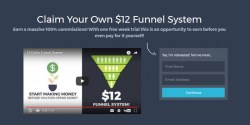
I think Darren Olander has hit the nail on the head with this one. It has spot on training once you get inside. For me the step by step instructions to get started made it very easy to set up. It also includes 40 follow-up emails which helped with my promotions as I created my own splash pages and sometimes I struggle writing the follow-ups. All I had to do was copy and paste the emails and then change the wording a bit to sound like me. It was a good foundation for sure. Also, Darren offers prompt replies to any support issues I have submitted. He has always been very helpful.
What I Like
Well, for one it is extremely affordable. You earn 100% commissions on the front end and you have the chance to earn even more with all the programs you can add on the backend. I like this as you win either way. I have experienced both. Commissions on the front end and sign ups to some of the programs I promote on the inside.
I have never seen a program with such a unique concept! It is a professionally designed marketing funnel that gives you control over what you can promote. I like the fact that I can change any of the programs my upline is promoting to my own. I can also go in and change them again if I so choose. It is one of the most effective and most flexible downline building tools I have come across.
What I Dislike
There isn't anything I don't like about the program. I wish people understood the genius behind the compensation plan. You need to watch the compensation video to get the full picture!
Final Verdict
I am glad I joined this one. Have been paid on time every month for over 3 years! You do get a 7 day free trial to check things out and then a mere $12/month after that. So what do you have to lose. You need to take your first step before you can take your next.
Visit Prosperitymarketingsystem.com
I think Darren Olander has hit the nail on the head with this one. It has spot on training once you get inside. For me the step by step instructions to get started made it very easy to set up. It also includes 40 follow-up emails which helped with my promotions as I created my own splash pages and sometimes I struggle writing the follow-ups. All I had to do was copy and paste the emails and then change the wording a bit to sound like me. It was a good foundation for sure. Also, Darren offers prompt replies to any support issues I have submitted. He has always been very helpful.
What I Like
Well, for one it is extremely affordable. You earn 100% commissions on the front end and you have the chance to earn even more with all the programs you can add on the backend. I like this as you win either way. I have experienced both. Commissions on the front end and sign ups to some of the programs I promote on the inside.
I have never seen a program with such a unique concept! It is a professionally designed marketing funnel that gives you control over what you can promote. I like the fact that I can change any of the programs my upline is promoting to my own. I can also go in and change them again if I so choose. It is one of the most effective and most flexible downline building tools I have come across.
What I Dislike
There isn't anything I don't like about the program. I wish people understood the genius behind the compensation plan. You need to watch the compensation video to get the full picture!
Final Verdict
I am glad I joined this one. Have been paid on time every month for over 3 years! You do get a 7 day free trial to check things out and then a mere $12/month after that. So what do you have to lose. You need to take your first step before you can take your next.
Visit Prosperitymarketingsystem.com


Winston Smith's review...
My Honest Experience With Twice Confirmed Traffic
I'll be honest, $59.95 a month gave me pause. That's not cheap and I sat on it longer than I probably should have. But I'd already thrown money at cheaper traffic that did absolutely nothing so eventually I just decided to stop being cheap about it and try something better.
The whole idea behind it is that your offers only go to repeat buyers. Not just people who bought something once, but people who came back and bought again. That's the audience you actually want.
What I've Learned
You can feel the difference in quality pretty quickly. The clicks behave differently than what I was used to getting from lower cost sources. I can't point to some huge number and say look at this, but the conversions make a lot more sense and I'm not just watching clicks disappear into nothing anymore.
There's also something called the Confirmation Bay where you can report your own sales back into the system. It's optional but it helps keep the traffic quality up for everyone. Takes two minutes and feels like the right thing to do.
What I Like
Set it up once and it runs. I can swap out my promo links whenever I feel like testing something different which I appreciate. The affiliate side is also genuinely useful and referrals boost your daily traffic on top of paying commissions so the $59.95 starts looking a lot more manageable if you get even one or two people in.
What I Don't Like
The price. That's it really. If you're just starting out or on a tight budget this probably isn't where you should be putting your money yet. But if you've been wasting cash on traffic that never did anything, you'll understand pretty fast why this costs more.
Final Verdict
I'm glad I stopped hesitating and just tried it. Repeat buyer traffic is a different thing entirely and for me personally it's earned its place in my monthly budget.
Visit Twiceconfirmedtraffic.com
I'll be honest, $59.95 a month gave me pause. That's not cheap and I sat on it longer than I probably should have. But I'd already thrown money at cheaper traffic that did absolutely nothing so eventually I just decided to stop being cheap about it and try something better.
The whole idea behind it is that your offers only go to repeat buyers. Not just people who bought something once, but people who came back and bought again. That's the audience you actually want.
What I've Learned
You can feel the difference in quality pretty quickly. The clicks behave differently than what I was used to getting from lower cost sources. I can't point to some huge number and say look at this, but the conversions make a lot more sense and I'm not just watching clicks disappear into nothing anymore.
There's also something called the Confirmation Bay where you can report your own sales back into the system. It's optional but it helps keep the traffic quality up for everyone. Takes two minutes and feels like the right thing to do.
What I Like
Set it up once and it runs. I can swap out my promo links whenever I feel like testing something different which I appreciate. The affiliate side is also genuinely useful and referrals boost your daily traffic on top of paying commissions so the $59.95 starts looking a lot more manageable if you get even one or two people in.
What I Don't Like
The price. That's it really. If you're just starting out or on a tight budget this probably isn't where you should be putting your money yet. But if you've been wasting cash on traffic that never did anything, you'll understand pretty fast why this costs more.
Final Verdict
I'm glad I stopped hesitating and just tried it. Repeat buyer traffic is a different thing entirely and for me personally it's earned its place in my monthly budget.
Visit Twiceconfirmedtraffic.com


Joe Golson's review...
InstaSqueeze caught my attention because it solves a problem a lot of affiliate marketers run into.
You have an affiliate link.
But you do not always have a simple capture page, branded bridge page, or lead generation path to put in front of it.
And sending people straight to an affiliate link is not always the best move.
So far, what I like about InstaSqueeze is the simplicity.
It is built around the idea of using AI to analyze the page you are promoting and help create a branded squeeze page around it.
That matters because most affiliates do not need more complicated tools.
They need a faster way to create a simple page that can help capture attention, pre-frame the offer, and make the promotion feel more professional.
What I Like
For someone promoting offers through traffic exchanges, safelists, social media, or email, that can be very helpful.
What I Dislike
What I dislike is not really about the concept.
It is more about expectations.
A tool like this can help you create the page, but it will not magically make people buy or opt in.
Also, because AI is doing a lot of the work, I would not recommend just accepting everything it creates without reviewing it.
You should still read the copy, make sure the message fits your audience, and adjust anything that sounds too generic.
AI can speed things up, but your judgment still matters.
Final Verdict
My final verdict is this:
InstaSqueeze looks like a useful tool for affiliate marketers who want a quicker way to create simple squeeze pages around the offers they promote.
It is especially worth looking at if you are tired of sending people directly to raw affiliate links and want something that feels cleaner, more branded, and more professional.
I would not treat it like a magic button.
But I would treat it like a smart shortcut.
If you already have offers to promote and you want a faster way to create a simple lead capture or bridge-style page, InstaSqueeze is worth checking out.
It can help you move faster, look more professional, and create a better first impression before sending people to the offer.
Visit Instasqueeze.com
You have an affiliate link.
But you do not always have a simple capture page, branded bridge page, or lead generation path to put in front of it.
And sending people straight to an affiliate link is not always the best move.
So far, what I like about InstaSqueeze is the simplicity.
It is built around the idea of using AI to analyze the page you are promoting and help create a branded squeeze page around it.
That matters because most affiliates do not need more complicated tools.
They need a faster way to create a simple page that can help capture attention, pre-frame the offer, and make the promotion feel more professional.
What I Like
- It removes a lot of the friction.
- No heavy page builder.
- No complicated funnel setup.
- No staring at a blank screen trying to figure out what to say.
- For affiliates, that is a big deal.
- A squeeze page can help you do more than just throw a link at people.
- It gives you a chance to create a simple bridge between the visitor and the offer.
- That can help with clarity, branding, and lead generation.
- I also like that it is focused.
- It is not trying to be everything.
- It is designed for one clear job:
- Turn an affiliate link into a more useful squeeze page.
For someone promoting offers through traffic exchanges, safelists, social media, or email, that can be very helpful.
What I Dislike
What I dislike is not really about the concept.
It is more about expectations.
A tool like this can help you create the page, but it will not magically make people buy or opt in.
- You still need the right offer.
- You still need traffic.
- You still need follow-up.
- You still need to test your headline, angle, and message.
Also, because AI is doing a lot of the work, I would not recommend just accepting everything it creates without reviewing it.
You should still read the copy, make sure the message fits your audience, and adjust anything that sounds too generic.
AI can speed things up, but your judgment still matters.
Final Verdict
My final verdict is this:
InstaSqueeze looks like a useful tool for affiliate marketers who want a quicker way to create simple squeeze pages around the offers they promote.
It is especially worth looking at if you are tired of sending people directly to raw affiliate links and want something that feels cleaner, more branded, and more professional.
I would not treat it like a magic button.
But I would treat it like a smart shortcut.
If you already have offers to promote and you want a faster way to create a simple lead capture or bridge-style page, InstaSqueeze is worth checking out.
It can help you move faster, look more professional, and create a better first impression before sending people to the offer.
Visit Instasqueeze.com

Benjamin Huebner's review...
My Experience with MAP: A Funnel That Actually Teaches You How to Make Money Online
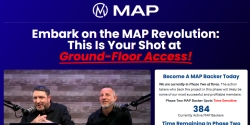
I've tested a lot of 'done-for-you' systems over the years - some promising, some painful. But Master Affiliate Profits (MAP)? It's one of the few that actually delivers real value, solid tools, and a refreshing amount of support. Behind the clean dashboard and plug-and-play funnel is a platform that's way more than just 'another affiliate system. '
Spoiler: I got a high-ticket sale from their internal traffic. And yes, I double-checked to make sure it wasn't a fluke.
How I Used MAP
I started by sending some direct traffic to MAP's opt-in pages, and they converted really well - surprisingly well, actually. These aren't generic, cookie-cutter landing pages. They're tight, benefit-driven, and built to catch leads like a digital Venus flytrap (in the best way).
Once inside, the training area was a goldmine. We're not talking vague 'click here and get rich' fluff. MAP dives into real strategies for list building, affiliate promos, bonus stacking, and even how to stand out in saturated niches.
Oh, and the lead magnet system? While you can give away free memberships to build your list on one hand, you can also use one of the many plr products to create your own landing page in almost no time!
Results I Noticed
MAP's internal traffic system was the big surprise. I scored a high-ticket sale from cold traffic, with a 0.2% conversion rate on a premium product. Not bad for traffic I didn't have to hunt down myself.
The platform is also being actively improved - faster loading speeds, better UX, and a growing resource vault. Plus, there's talk of a free membership tier, which could be a huge win for beginners.
What I Like
What I Don't Like
Final Verdict
MAP isn't just another affiliate funnel, it's a full-blown system that teaches you how to actually succeed.
Between the high-converting pages, top-tier training, and built-in tools, it's one of the few programs where you don't feel like you're just padding someone else's list. Add in a responsive creator, solid support, and real updates, and it's clear MAP is here for the long run.
If you're tired of hype and want something that works (without needing a PhD in funnels), MAP's worth a look. Just bring traffic, and maybe a sense of humor. You'll enjoy the ride.
Update: I still promote MAPs with good results, Build a list of more than 240 Leads inside MAPs and my Auto responder by giving away free their affiliate training!
Update - Dec.2025: Map is still a hot product and they finally presented Mappy, an AI assistant helping members to promote Maps, find what they need and much more!
Update - May 2026: Not a single step forward! Unfortunately MAPs had no real updates in the past months. While it was planned to bring out new products etc. (You remember leads hardcoded for live) they basically just started their new project, promoted it to MAP members (Without crediting the referrer) and thats it as it seems!
Visit Masteraffiliateprofits.com
I've tested a lot of 'done-for-you' systems over the years - some promising, some painful. But Master Affiliate Profits (MAP)? It's one of the few that actually delivers real value, solid tools, and a refreshing amount of support. Behind the clean dashboard and plug-and-play funnel is a platform that's way more than just 'another affiliate system. '
Spoiler: I got a high-ticket sale from their internal traffic. And yes, I double-checked to make sure it wasn't a fluke.
How I Used MAP
I started by sending some direct traffic to MAP's opt-in pages, and they converted really well - surprisingly well, actually. These aren't generic, cookie-cutter landing pages. They're tight, benefit-driven, and built to catch leads like a digital Venus flytrap (in the best way).
Once inside, the training area was a goldmine. We're not talking vague 'click here and get rich' fluff. MAP dives into real strategies for list building, affiliate promos, bonus stacking, and even how to stand out in saturated niches.
Oh, and the lead magnet system? While you can give away free memberships to build your list on one hand, you can also use one of the many plr products to create your own landing page in almost no time!
Results I Noticed
MAP's internal traffic system was the big surprise. I scored a high-ticket sale from cold traffic, with a 0.2% conversion rate on a premium product. Not bad for traffic I didn't have to hunt down myself.
The platform is also being actively improved - faster loading speeds, better UX, and a growing resource vault. Plus, there's talk of a free membership tier, which could be a huge win for beginners.
What I Like
- High Opt-In Rates: The funnel converts well, even with cold clicks.
- Seriously Good Training: Covers everything from basic setup to advanced affiliate strategies.
- Lead Magnet Heaven: 200+ assets, many with PLR rights, just pick and launch.
- Strong Facebook Community: Supportive, real, and not just hype.
- Direct Access to the Creator: Need help? Just ping the owner on Facebook.
- Free to Get Started: Yes, really. You can get started for Free with MAPs!
What I Don't Like
- More Opt IN Pages: Right now they funnel all traffic to one opt in page! Some additional variants for different audiences would be cool!
- It may be harder to close a sale as its a recurring product, on the other hand will be the commission as well a recurring one! And there is a low cost up sell with 100% commission payment as well!
Final Verdict
MAP isn't just another affiliate funnel, it's a full-blown system that teaches you how to actually succeed.
Between the high-converting pages, top-tier training, and built-in tools, it's one of the few programs where you don't feel like you're just padding someone else's list. Add in a responsive creator, solid support, and real updates, and it's clear MAP is here for the long run.
If you're tired of hype and want something that works (without needing a PhD in funnels), MAP's worth a look. Just bring traffic, and maybe a sense of humor. You'll enjoy the ride.
Update: I still promote MAPs with good results, Build a list of more than 240 Leads inside MAPs and my Auto responder by giving away free their affiliate training!
Update - Dec.2025: Map is still a hot product and they finally presented Mappy, an AI assistant helping members to promote Maps, find what they need and much more!
Update - May 2026: Not a single step forward! Unfortunately MAPs had no real updates in the past months. While it was planned to bring out new products etc. (You remember leads hardcoded for live) they basically just started their new project, promoted it to MAP members (Without crediting the referrer) and thats it as it seems!
Visit Masteraffiliateprofits.com
I have found the platform to be the best all in one lead generation marketing system in 2020.
LeadsLeap has all the tools you need to:
With a proven track record of more than 10 years, the platform is continuously adding new tools to help you automate your business online.
Below are the 6 tools you can use to build your business online for FREE.
Once you set up your automated marketing system using the FREE Tools above you can set up ads within the platform and start to drive targeted traffic to you website on auto-pilot using credit ads.
Credit ads work by surfing other sites in exchange for credits, you can then use the credits to get views to your own sites or convert them to cash once you have a minimum of 50 credits.
The traffic exchange works different from most traffic exchanges in a way that there is no timer, you can surf each site for up to 3 minutes and the longer you stay on a site the more credits you earn.
In order to be successful online you need to have an automated marketing system and you need to be able to drive targeted traffic to this system on auto-pilot.
LeadsLeap offers you all the tools you need to build your online business on auto-pilot.
What I Like
I like the fact that the owners have done everything they need to make sure you get the most out of the platform in the following ways.
What I Dislike
I would say that at first glance there is a lot going on, which lead me to cancelling my account the first time around, the 2nd time I just didn't take the time to familiarize myself with the platform.
Final Verdict
This is a great platform to help you automate your business online, if you take the time to follow the instructions in the guides and emails you will be amazed at how much value you can get even as a FREE member.
Visit Leadsleap.com