Featured Reviews


Bob Caine's review...

Daniel Popa's review...
My Experience With Funnels, Blogs, Forms, Certification, and Email Setup
Short answer
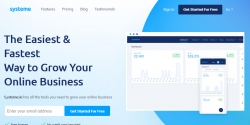
Systeme.io is an all-in-one online business platform for building funnels, landing pages, forms, email campaigns, blogs, courses, and simple websites. In my experience, it is useful for beginners, affiliate marketers, bloggers, and small business owners who want to connect content, lead magnets, and email follow-ups without using too many separate tools.
It is not a magic traffic or sales solution. You still need good content, a clear offer, a promotion plan, and time to learn the platform. But for building the main online business setup in one place, systeme.io is practical and beginner-friendly.
My experience with systeme.io
My experience with systeme.io has been positive so far.
I own a few WordPress websites, so one thing I find useful is how systeme.io can connect my blogs with funnels through forms and popups. The inline form makes it easier to collect leads from a blog post and send people into a funnel or email follow-up.
This is helpful when I create free lead magnets, simple opt-in pages, or bonus pages. I do not need to use too many separate tools just to connect a blog with a funnel.
Why systeme.io is useful for bloggers
A lot of bloggers publish content but do not have a simple follow-up system behind the blog.
This is where systeme.io can help. A blog post can attract the reader, and a form or popup can offer a free lead magnet. After that, the reader can be added to an email sequence or sent to a funnel page. For someone who owns WordPress websites, systeme.io is useful as a bridge between blog content and email marketing.
The blog editor is often overlooked
The platform also has a blog editor, which I think many marketers are missing out on.
A lot of people only think about systeme.io as a funnel builder, but the blog feature can also be useful for publishing helpful content and explaining offers in more detail.
With AI tools, writing a first draft for a blog post can be much faster now. I still believe the content needs to be checked, edited, and made personal, but it saves time when creating ideas, outlines, and simple articles.
What I like about the all-in-one setup
I like that systeme.io keeps many things in one place.
I can build landing pages, forms, funnels, email campaigns, and blog content without switching between too many platforms.
The page builder is quite easy to use once you spend some time with it. At first, I had to click around and learn where everything was, but after that, it became easier to understand.
This is one of the reasons I see systeme.io as beginner-friendly. It removes some of the confusion that comes from trying to connect too many tools together.
Systeme.io funnel builder certification
I also took the systeme.io Funnel Builder Certification and the systeme.io Expert Certification courses. This new 2026 addition is awesome: you learn and receive 2 certificates you can post on social media or on your about pages. Looks legit!
I think this is useful for people who want to understand the platform better and learn how funnels work. It provides more structure instead of trying to guess everything on your own.
The certification can also open new ideas for people who want to build funnels or websites for clients. It does not mean someone becomes an expert overnight, but it can help build confidence and provide direction.
For someone who wants to offer funnel building, website setup, lead magnet pages, or email marketing support to clients, learning the platform properly can be a useful skill.
Subaccounts for client work
I also like the subaccounts option on the higher plan.
If someone is managing client projects, this can make the setup feel more professional because each client business can be handled in a more organized way.
This is useful for freelancers, funnel builders, or marketers who want to manage multiple business setups without mixing everything into a single account.
Systeme.io pricing and affiliate program
Another thing I like is that systeme.io has four payment plans, from a free account to the Unlimited plan. This makes it easier to start small and upgrade later if more features are needed.
For affiliate marketers, the 60% affiliate commission structure is also interesting. There are also many useful bonus ideas that can be created around the platform, especially for people who teach funnels, email marketing, lead magnets, blog traffic, or online business setup.
In my opinion, this gives affiliates more angles to work with. They can create bonuses around beginner setup, funnel templates, email follow-up, blog content, free lead magnets, or client services.
Free migration on paid plans
I also noticed that free migration help may be available with the Unlimited monthly plan or annual plans.
This can be useful for people who already have funnels, emails, courses, products, or pages somewhere else and want to move everything into one platform.
For someone who is already paying for several tools, migration support can make the move easier.
Professional domain and email requirement
One important requirement is having a professional domain name and a matching professional email address.
This is needed for a proper email sending setup, not just for appearance. A business email connected to your own domain looks more trusted than using a free personal email address.
What systeme.io does not do
Systeme.io is not a magic solution.
It will not generate traffic, leads, or sales on its own. You still need to create useful content, build your pages properly, and have a clear promotion plan.
This is important because some beginners think the tool alone will create results. In reality, systeme.io gives you the platform, but you still need to do the work.
Possible drawbacks
It is not perfect.
Some parts still take practice, especially if you are completely new to funnels, email marketing, domains, forms, automation, or online tools.
You still need to learn the basics and take time to build things properly. The platform is beginner-friendly, but there is still a learning curve.
Who systeme.io may be good for
Systeme.io may be useful for:
Who may not need it
Systeme.io may not be the right fit for someone who only wants a simple static website and does not need funnels, forms, email marketing, courses, or automation.
It may also not be ideal for someone who does not want to learn any online marketing basics.
The tool is useful, but it works best when the user has a clear plan for content, leads, offers, and follow-up.
My last opinion
Overall, I see systeme.io as a useful all-in-one platform for people who want to connect blogs, funnels, forms, email marketing, and simple content publishing in one place.
For my own use, it has made connecting content to funnels much easier.
The biggest advantage is simplicity. Instead of using one tool for pages, another for email, another for forms, and another for funnels, systeme.io gives you one central place to build the main parts of an online business setup.
It still takes work, and it does not guarantee traffic or sales. But for beginners, bloggers, affiliate marketers, and small business owners, it is a practical platform worth considering, especially if you migrate from an expensive platform
Visit Systeme.io
Short answer
Systeme.io is an all-in-one online business platform for building funnels, landing pages, forms, email campaigns, blogs, courses, and simple websites. In my experience, it is useful for beginners, affiliate marketers, bloggers, and small business owners who want to connect content, lead magnets, and email follow-ups without using too many separate tools.
It is not a magic traffic or sales solution. You still need good content, a clear offer, a promotion plan, and time to learn the platform. But for building the main online business setup in one place, systeme.io is practical and beginner-friendly.
My experience with systeme.io
My experience with systeme.io has been positive so far.
I own a few WordPress websites, so one thing I find useful is how systeme.io can connect my blogs with funnels through forms and popups. The inline form makes it easier to collect leads from a blog post and send people into a funnel or email follow-up.
This is helpful when I create free lead magnets, simple opt-in pages, or bonus pages. I do not need to use too many separate tools just to connect a blog with a funnel.
Why systeme.io is useful for bloggers
A lot of bloggers publish content but do not have a simple follow-up system behind the blog.
This is where systeme.io can help. A blog post can attract the reader, and a form or popup can offer a free lead magnet. After that, the reader can be added to an email sequence or sent to a funnel page. For someone who owns WordPress websites, systeme.io is useful as a bridge between blog content and email marketing.
The blog editor is often overlooked
The platform also has a blog editor, which I think many marketers are missing out on.
A lot of people only think about systeme.io as a funnel builder, but the blog feature can also be useful for publishing helpful content and explaining offers in more detail.
With AI tools, writing a first draft for a blog post can be much faster now. I still believe the content needs to be checked, edited, and made personal, but it saves time when creating ideas, outlines, and simple articles.
What I like about the all-in-one setup
I like that systeme.io keeps many things in one place.
I can build landing pages, forms, funnels, email campaigns, and blog content without switching between too many platforms.
The page builder is quite easy to use once you spend some time with it. At first, I had to click around and learn where everything was, but after that, it became easier to understand.
This is one of the reasons I see systeme.io as beginner-friendly. It removes some of the confusion that comes from trying to connect too many tools together.
Systeme.io funnel builder certification
I also took the systeme.io Funnel Builder Certification and the systeme.io Expert Certification courses. This new 2026 addition is awesome: you learn and receive 2 certificates you can post on social media or on your about pages. Looks legit!
I think this is useful for people who want to understand the platform better and learn how funnels work. It provides more structure instead of trying to guess everything on your own.
The certification can also open new ideas for people who want to build funnels or websites for clients. It does not mean someone becomes an expert overnight, but it can help build confidence and provide direction.
For someone who wants to offer funnel building, website setup, lead magnet pages, or email marketing support to clients, learning the platform properly can be a useful skill.
Subaccounts for client work
I also like the subaccounts option on the higher plan.
If someone is managing client projects, this can make the setup feel more professional because each client business can be handled in a more organized way.
This is useful for freelancers, funnel builders, or marketers who want to manage multiple business setups without mixing everything into a single account.
Systeme.io pricing and affiliate program
Another thing I like is that systeme.io has four payment plans, from a free account to the Unlimited plan. This makes it easier to start small and upgrade later if more features are needed.
For affiliate marketers, the 60% affiliate commission structure is also interesting. There are also many useful bonus ideas that can be created around the platform, especially for people who teach funnels, email marketing, lead magnets, blog traffic, or online business setup.
In my opinion, this gives affiliates more angles to work with. They can create bonuses around beginner setup, funnel templates, email follow-up, blog content, free lead magnets, or client services.
Free migration on paid plans
I also noticed that free migration help may be available with the Unlimited monthly plan or annual plans.
This can be useful for people who already have funnels, emails, courses, products, or pages somewhere else and want to move everything into one platform.
For someone who is already paying for several tools, migration support can make the move easier.
Professional domain and email requirement
One important requirement is having a professional domain name and a matching professional email address.
This is needed for a proper email sending setup, not just for appearance. A business email connected to your own domain looks more trusted than using a free personal email address.
What systeme.io does not do
Systeme.io is not a magic solution.
It will not generate traffic, leads, or sales on its own. You still need to create useful content, build your pages properly, and have a clear promotion plan.
This is important because some beginners think the tool alone will create results. In reality, systeme.io gives you the platform, but you still need to do the work.
Possible drawbacks
It is not perfect.
Some parts still take practice, especially if you are completely new to funnels, email marketing, domains, forms, automation, or online tools.
You still need to learn the basics and take time to build things properly. The platform is beginner-friendly, but there is still a learning curve.
Who systeme.io may be good for
Systeme.io may be useful for:
- Bloggers who want to collect leads from their content
- Affiliate marketers who want funnels and email follow-up
- Beginners who want an all-in-one online business platform
- Freelancers who want to build funnels or websites for clients
- Course creators who want pages, emails, and simple course hosting
- Small business owners who want to reduce the number of tools they use
Who may not need it
Systeme.io may not be the right fit for someone who only wants a simple static website and does not need funnels, forms, email marketing, courses, or automation.
It may also not be ideal for someone who does not want to learn any online marketing basics.
The tool is useful, but it works best when the user has a clear plan for content, leads, offers, and follow-up.
My last opinion
Overall, I see systeme.io as a useful all-in-one platform for people who want to connect blogs, funnels, forms, email marketing, and simple content publishing in one place.
For my own use, it has made connecting content to funnels much easier.
The biggest advantage is simplicity. Instead of using one tool for pages, another for email, another for forms, and another for funnels, systeme.io gives you one central place to build the main parts of an online business setup.
It still takes work, and it does not guarantee traffic or sales. But for beginners, bloggers, affiliate marketers, and small business owners, it is a practical platform worth considering, especially if you migrate from an expensive platform
Visit Systeme.io

Piergiorgio Sansone's review...
My experience with the program so far
GetResponse is the first email marketing system I ever purchased. That was many years ago. And you know what? It's still part of my product stack today. I use it. I recommend it. I integrate it into every affiliate business I build.
Now, I know what you're thinking: "You've tested dozens of email platforms over the years. You understand marketing automation deeply. Why do you still use GetResponse? "
Here's my honest answer: because it was the first tool to show me what automation actually means.
The Real Shift: From Email Tool to Automation System
When I started using GetResponse (fresh perspective, new integration), something clicked that people often miss when they're shopping for email platforms.
Most beginners think email marketing is about sending emails. You capture a lead, you email them. They click, they buy. Done.
Wrong.
The real game isn't sending. It's nurturing at scale. And that's where GetResponse separated itself from every basic email tool I'd used before.
Here's the difference: Basic autoresponder systems offer limited solutions. They handle nurturing through list segmentation, you can push prospects to different lists, but that's it. GetResponse's automation engine opens far more possibilities. You can direct your prospect exactly as you prefer, based on the workflow YOU define. IF they open → action. IF they click → different action. IF they buy → customer sequence. This is not list-switching. This is intelligent routing based on behavior. And that's a significant leap in quality.
GetResponse's automation engine? It's different. It's not AI. It's a workflow builder that YOU control.
You set the rules. You decide the triggers. You configure the paths.
Someone clicks your landing page but doesn't buy? You create an automation rule that sequences them to a different email path. Someone opened your last 3 emails but never clicked? You set that trigger and the resulting action. Someone is ready to upgrade? You build that workflow.
The difference: instead of sending everyone the same email, you design multiple paths based on prospect behavior, and the system executes exactly what you programmed.
That's the leap. And I'll explain why it matters so much for beginners.
What I Like
1. Automation Without a Developer
You don't need APIs, webhooks, or technical knowledge. The automation builder is visual, drag sequences, set conditions, connect actions.
I built my entire welcome sequence with branching, segmentation, and conditional delays in 45 minutes. That's not possible in most platforms without hiring someone.
2. All-in-One Platform Means Smarter Workflows
Email + landing pages + CRM + SMS in one dashboard. Here's the advantage: when your email platform knows who visited your landing page, what they clicked, what they watched, your automation workflows become more effective because you have complete data.
You can create triggers like: "IF landed on page X AND opened email Y AND clicked button Z → do this. "
With separate tools, this integrated intelligence is impossible.
3. AI Course Creator (Recently Added)
GetResponse added online course functionality that integrates with your automation workflows. When a student enrolls, an automation sequence fires. When they complete lessons, different sequences trigger.
It's not a Kajabi-killer. But it's a smart addition that keeps you in one ecosystem instead of juggling three tools.
What I Dislike
1. The Interface Is Cluttered
GetResponse has been around since 2001. You can feel it. The platform has grown by layering features on top of features. It works, but it's not elegant. First-time users think: "Is that under Automations? Tools? Integrations? "
Reality: This is a one-time pain. Once you learn the structure, it's fine. Watch the tutorials.
2. The Automation Learning Curve Is Real
GetResponse's automation capabilities are impressive, but the learning curve is significant. The builder has options that won't make sense until you understand your own customer journey deeply.
I spent 3 weeks experimenting before building anything I actually used. That's expected. You're learning a new system.
Final Verdict
Rating: 7.5/10 for most users | 8.5/10 for beginners | 8/10 for affiliate marketers
GetResponse is the best all-in-one platform to start with. You learn email, automation, pages, CRM, SMS, and now course creation in one place, without hiring a developer.
You won't outgrow it until you need specialized tools for specific channels.
My recommendation: Start with GetResponse. Learn how to design workflows that respond to prospect behavior. Understand your customer journey. Build real sequences based on actions.
Once you've mastered that? Then decide if you need something more specialized.
Because the tool doesn't matter. Knowing how to build workflows based on behavior does.
Visit Getresponse.com
GetResponse is the first email marketing system I ever purchased. That was many years ago. And you know what? It's still part of my product stack today. I use it. I recommend it. I integrate it into every affiliate business I build.
Now, I know what you're thinking: "You've tested dozens of email platforms over the years. You understand marketing automation deeply. Why do you still use GetResponse? "
Here's my honest answer: because it was the first tool to show me what automation actually means.
The Real Shift: From Email Tool to Automation System
When I started using GetResponse (fresh perspective, new integration), something clicked that people often miss when they're shopping for email platforms.
Most beginners think email marketing is about sending emails. You capture a lead, you email them. They click, they buy. Done.
Wrong.
The real game isn't sending. It's nurturing at scale. And that's where GetResponse separated itself from every basic email tool I'd used before.
Here's the difference: Basic autoresponder systems offer limited solutions. They handle nurturing through list segmentation, you can push prospects to different lists, but that's it. GetResponse's automation engine opens far more possibilities. You can direct your prospect exactly as you prefer, based on the workflow YOU define. IF they open → action. IF they click → different action. IF they buy → customer sequence. This is not list-switching. This is intelligent routing based on behavior. And that's a significant leap in quality.
GetResponse's automation engine? It's different. It's not AI. It's a workflow builder that YOU control.
You set the rules. You decide the triggers. You configure the paths.
Someone clicks your landing page but doesn't buy? You create an automation rule that sequences them to a different email path. Someone opened your last 3 emails but never clicked? You set that trigger and the resulting action. Someone is ready to upgrade? You build that workflow.
The difference: instead of sending everyone the same email, you design multiple paths based on prospect behavior, and the system executes exactly what you programmed.
That's the leap. And I'll explain why it matters so much for beginners.
What I Like
1. Automation Without a Developer
You don't need APIs, webhooks, or technical knowledge. The automation builder is visual, drag sequences, set conditions, connect actions.
I built my entire welcome sequence with branching, segmentation, and conditional delays in 45 minutes. That's not possible in most platforms without hiring someone.
2. All-in-One Platform Means Smarter Workflows
Email + landing pages + CRM + SMS in one dashboard. Here's the advantage: when your email platform knows who visited your landing page, what they clicked, what they watched, your automation workflows become more effective because you have complete data.
You can create triggers like: "IF landed on page X AND opened email Y AND clicked button Z → do this. "
With separate tools, this integrated intelligence is impossible.
3. AI Course Creator (Recently Added)
GetResponse added online course functionality that integrates with your automation workflows. When a student enrolls, an automation sequence fires. When they complete lessons, different sequences trigger.
It's not a Kajabi-killer. But it's a smart addition that keeps you in one ecosystem instead of juggling three tools.
What I Dislike
1. The Interface Is Cluttered
GetResponse has been around since 2001. You can feel it. The platform has grown by layering features on top of features. It works, but it's not elegant. First-time users think: "Is that under Automations? Tools? Integrations? "
Reality: This is a one-time pain. Once you learn the structure, it's fine. Watch the tutorials.
2. The Automation Learning Curve Is Real
GetResponse's automation capabilities are impressive, but the learning curve is significant. The builder has options that won't make sense until you understand your own customer journey deeply.
I spent 3 weeks experimenting before building anything I actually used. That's expected. You're learning a new system.
Final Verdict
Rating: 7.5/10 for most users | 8.5/10 for beginners | 8/10 for affiliate marketers
GetResponse is the best all-in-one platform to start with. You learn email, automation, pages, CRM, SMS, and now course creation in one place, without hiring a developer.
You won't outgrow it until you need specialized tools for specific channels.
My recommendation: Start with GetResponse. Learn how to design workflows that respond to prospect behavior. Understand your customer journey. Build real sequences based on actions.
Once you've mastered that? Then decide if you need something more specialized.
Because the tool doesn't matter. Knowing how to build workflows based on behavior does.
Visit Getresponse.com


Octavia 's review...
My experience with the program so far
I have recently become hooked with this platform. It doesn't matter if you're new to the game or have been a business owner, a content creator, or marketer for years... There is something for everyone here. Daily-Ads meets you where you are.
Everything is laid out in a way that actually makes sense, which is rare with most marketing platforms.
What I Like
Above all, it's not overwhelming. Everything is intuitive, clean, and easy to navigate. But to be more specific, I like how it's basically your entire marketing stack in one dashboard and you don't have to juggle different platforms.
Here's what you get:
You can:
Oh! There's link rotator, which is a little hidden gem. You can load multiple offers and let the system cycle through them (if you upgrade, you get top priority)
There are a couple of different choices to upgrade: Bronze is $10/month, Silver is $25/month. When you upgrade, it gives you access to more ad placements, priority positioning, advanced tools, hosting for your pages, overall better visibility across the platform
What I Dislike
I've been poking around and honestly, there's not much I can complain about so far.
If I had to point anything out:
Other than that, no major issues at all.
Final Verdict
After just a few days of using Daily-Ads, upgrading felt like a no-brainer. This platform gives you the tools to promote your own offers, discover new opportunities, leverage a built-in community, grow, all in one.
My recommendation is to start with the Free account, play around with the features. After that, it only makes sense to upgrade.
Visit Daily-ads.com
I have recently become hooked with this platform. It doesn't matter if you're new to the game or have been a business owner, a content creator, or marketer for years... There is something for everyone here. Daily-Ads meets you where you are.
Everything is laid out in a way that actually makes sense, which is rare with most marketing platforms.
What I Like
Above all, it's not overwhelming. Everything is intuitive, clean, and easy to navigate. But to be more specific, I like how it's basically your entire marketing stack in one dashboard and you don't have to juggle different platforms.
Here's what you get:
- A personal link-in-bio (Linktree-style) page
- Banner ads, login ads, and swipe ads
- A webpage builder
- Built-in social feed & members chat area. But there's so much more than what I've listed here.
You can:
- Promote your own offers
- Promote Daily-Ads itself, you can earn recurring commissions (via Wise, Zelle, or crypto) or you can reinvest commissions directly into your account
- Use community-created ads and swipes
- Get your content seen by other members
Oh! There's link rotator, which is a little hidden gem. You can load multiple offers and let the system cycle through them (if you upgrade, you get top priority)
There are a couple of different choices to upgrade: Bronze is $10/month, Silver is $25/month. When you upgrade, it gives you access to more ad placements, priority positioning, advanced tools, hosting for your pages, overall better visibility across the platform
What I Dislike
I've been poking around and honestly, there's not much I can complain about so far.
If I had to point anything out:
- The free plan is limited, but that's expected (and still very usable)
- There's a 30-day hold on commissions, which is standard for chargeback protection.
Other than that, no major issues at all.
Final Verdict
After just a few days of using Daily-Ads, upgrading felt like a no-brainer. This platform gives you the tools to promote your own offers, discover new opportunities, leverage a built-in community, grow, all in one.
My recommendation is to start with the Free account, play around with the features. After that, it only makes sense to upgrade.
Visit Daily-ads.com

Fred Mugone's review...
My experience with the program so far.
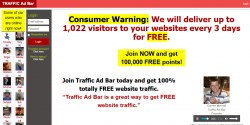
I've been a long time member of Traffic Ad Bar since 2011 - that's 14 years. This program has impressed and continues to impress me. It has provided me with a consistent and constant flow of subscribers and signups over the years.
Traffic Ad Bar distinguishes itself from your typical traffic exchange website by using text ads with titles and descriptions (similar to Leads Leap but without the image next to the text ad). This encourages users to click on what grabs their attention and genuinely interests them.
What I Like
What I like about Traffic Ad Bar is its points system and "ladder" concept. As you browse other members' ads, you accumulate points. Upon accumulating the required number of points every three days, your site will be moved up the ladder, increasing its visibility. The higher you rank, the more website traffic you get.
Upgraded members, particularly those at the Platinum level, quickly achieve hundreds of daily visitors on near auto-pilot. This system enhances engagement as everyone is incentivized to click and rank higher, so results come naturally. I've found it to be an excellent source of quality manual traffic. Beyond the exchange, you also receive a free advertising profile that enables you to network further.
Traffic Ad Bar also enables geo-targeting of ads to users based on their geographic location, from large areas like countries or states to a specific radius around a business. This strategy allows showing of relevant ads to a specific audience, increasing the likelihood of engagement and conversion by tailoring messages to the specific regional/local context
What I Dislike
Essentially nothing, except for the fact that the traffic is delivered too rapidly. I would prefer the delivery to be somewhat a bit slower and the viewing time to be longer.
Final Verdict
Traffic Ad Bar offers options to specify the audience for your advertisements, allowing you to focus your promotional efforts on users who are more likely to be interested in your product or service. By consistently displaying your website or ad to a community of users, the platform can help increase familiarity and awareness of your brand or product. The key to success with Traffic Ad Bar is consistency.
For anyone building their advertising arsenal and looking for reliable guaranteed website visitors, This platform is a must-have.
Visit Trafficadbar.com
I've been a long time member of Traffic Ad Bar since 2011 - that's 14 years. This program has impressed and continues to impress me. It has provided me with a consistent and constant flow of subscribers and signups over the years.
Traffic Ad Bar distinguishes itself from your typical traffic exchange website by using text ads with titles and descriptions (similar to Leads Leap but without the image next to the text ad). This encourages users to click on what grabs their attention and genuinely interests them.
What I Like
What I like about Traffic Ad Bar is its points system and "ladder" concept. As you browse other members' ads, you accumulate points. Upon accumulating the required number of points every three days, your site will be moved up the ladder, increasing its visibility. The higher you rank, the more website traffic you get.
Upgraded members, particularly those at the Platinum level, quickly achieve hundreds of daily visitors on near auto-pilot. This system enhances engagement as everyone is incentivized to click and rank higher, so results come naturally. I've found it to be an excellent source of quality manual traffic. Beyond the exchange, you also receive a free advertising profile that enables you to network further.
Traffic Ad Bar also enables geo-targeting of ads to users based on their geographic location, from large areas like countries or states to a specific radius around a business. This strategy allows showing of relevant ads to a specific audience, increasing the likelihood of engagement and conversion by tailoring messages to the specific regional/local context
What I Dislike
Essentially nothing, except for the fact that the traffic is delivered too rapidly. I would prefer the delivery to be somewhat a bit slower and the viewing time to be longer.
Final Verdict
Traffic Ad Bar offers options to specify the audience for your advertisements, allowing you to focus your promotional efforts on users who are more likely to be interested in your product or service. By consistently displaying your website or ad to a community of users, the platform can help increase familiarity and awareness of your brand or product. The key to success with Traffic Ad Bar is consistency.
For anyone building their advertising arsenal and looking for reliable guaranteed website visitors, This platform is a must-have.
Visit Trafficadbar.com


Winston Smith's review...
My Honest Experience With Twice Confirmed Traffic
I'll be honest, $59.95 a month gave me pause. That's not cheap and I sat on it longer than I probably should have. But I'd already thrown money at cheaper traffic that did absolutely nothing so eventually I just decided to stop being cheap about it and try something better.
The whole idea behind it is that your offers only go to repeat buyers. Not just people who bought something once, but people who came back and bought again. That's the audience you actually want.
What I've Learned
You can feel the difference in quality pretty quickly. The clicks behave differently than what I was used to getting from lower cost sources. I can't point to some huge number and say look at this, but the conversions make a lot more sense and I'm not just watching clicks disappear into nothing anymore.
There's also something called the Confirmation Bay where you can report your own sales back into the system. It's optional but it helps keep the traffic quality up for everyone. Takes two minutes and feels like the right thing to do.
What I Like
Set it up once and it runs. I can swap out my promo links whenever I feel like testing something different which I appreciate. The affiliate side is also genuinely useful and referrals boost your daily traffic on top of paying commissions so the $59.95 starts looking a lot more manageable if you get even one or two people in.
What I Don't Like
The price. That's it really. If you're just starting out or on a tight budget this probably isn't where you should be putting your money yet. But if you've been wasting cash on traffic that never did anything, you'll understand pretty fast why this costs more.
Final Verdict
I'm glad I stopped hesitating and just tried it. Repeat buyer traffic is a different thing entirely and for me personally it's earned its place in my monthly budget.
Visit Twiceconfirmedtraffic.com
I'll be honest, $59.95 a month gave me pause. That's not cheap and I sat on it longer than I probably should have. But I'd already thrown money at cheaper traffic that did absolutely nothing so eventually I just decided to stop being cheap about it and try something better.
The whole idea behind it is that your offers only go to repeat buyers. Not just people who bought something once, but people who came back and bought again. That's the audience you actually want.
What I've Learned
You can feel the difference in quality pretty quickly. The clicks behave differently than what I was used to getting from lower cost sources. I can't point to some huge number and say look at this, but the conversions make a lot more sense and I'm not just watching clicks disappear into nothing anymore.
There's also something called the Confirmation Bay where you can report your own sales back into the system. It's optional but it helps keep the traffic quality up for everyone. Takes two minutes and feels like the right thing to do.
What I Like
Set it up once and it runs. I can swap out my promo links whenever I feel like testing something different which I appreciate. The affiliate side is also genuinely useful and referrals boost your daily traffic on top of paying commissions so the $59.95 starts looking a lot more manageable if you get even one or two people in.
What I Don't Like
The price. That's it really. If you're just starting out or on a tight budget this probably isn't where you should be putting your money yet. But if you've been wasting cash on traffic that never did anything, you'll understand pretty fast why this costs more.
Final Verdict
I'm glad I stopped hesitating and just tried it. Repeat buyer traffic is a different thing entirely and for me personally it's earned its place in my monthly budget.
Visit Twiceconfirmedtraffic.com
I have been using the Strategic Newsletter OS program for about six or seven months now, and I wanted to share my honest experience with it. When I first started, I was looking for a way to build a reliable online presence without the constant struggle against social media algorithms. This program offered a clear solution, and it has truly changed how I approach online marketing and audience building.
The training provided within the Strategic Newsletter OS is comprehensive and easy to follow. It guides you step-by-step, making sure even beginners can understand and implement the strategies. Beyond the structured lessons, the community is incredibly active and supportive. The founders, Justin and Brenda Glover, are very hands-on, hosting multiple live meetings each week. Their dedication to helping members succeed is evident and makes a huge difference.
What I Like
One of the biggest wins for me has been building my own list. I now have almost 2,500 active subscribers and readers. The best part is that I own these names; I am not at the mercy of social media algorithms. This independence is incredibly valuable.
The program, especially with its AI tools, makes content creation surprisingly easy. I can generate a full year's content calendar, which means I never have to worry about what to write next. This saves a huge amount of time and mental effort.
I produce three newsletters a week, published on Tuesday, Thursday, and Saturday. It takes me only about an hour each week to create them. This efficiency is fantastic, especially considering my open rate is almost 70%, which I attribute directly to what I've learned from this program.
What I Dislike
Frankly, I haven't found anything significant to dislike about this program. It has delivered on its promises and exceeded my expectations in many areas. The system is robust, and the support is excellent.
Final Verdict
If you are tired of constantly battling social media algorithms, struggling to come up with fresh content ideas daily, or feeling pressured to post multiple times a day, then this program is definitely for you. It provides a clear path to building a loyal audience that you control.
What's more, the system isn't just for newsletters. You can easily adapt the content you create to feed your Facebook or any other social media platforms. Instead of chasing social media trends, you can let social media bring people to your valuable newsletter. It's a powerful shift in strategy.
Visit Strategicnewsletter.com